Overview
The Media Manager helps you organize product images and generate AI-powered alt text for better SEO and accessibility.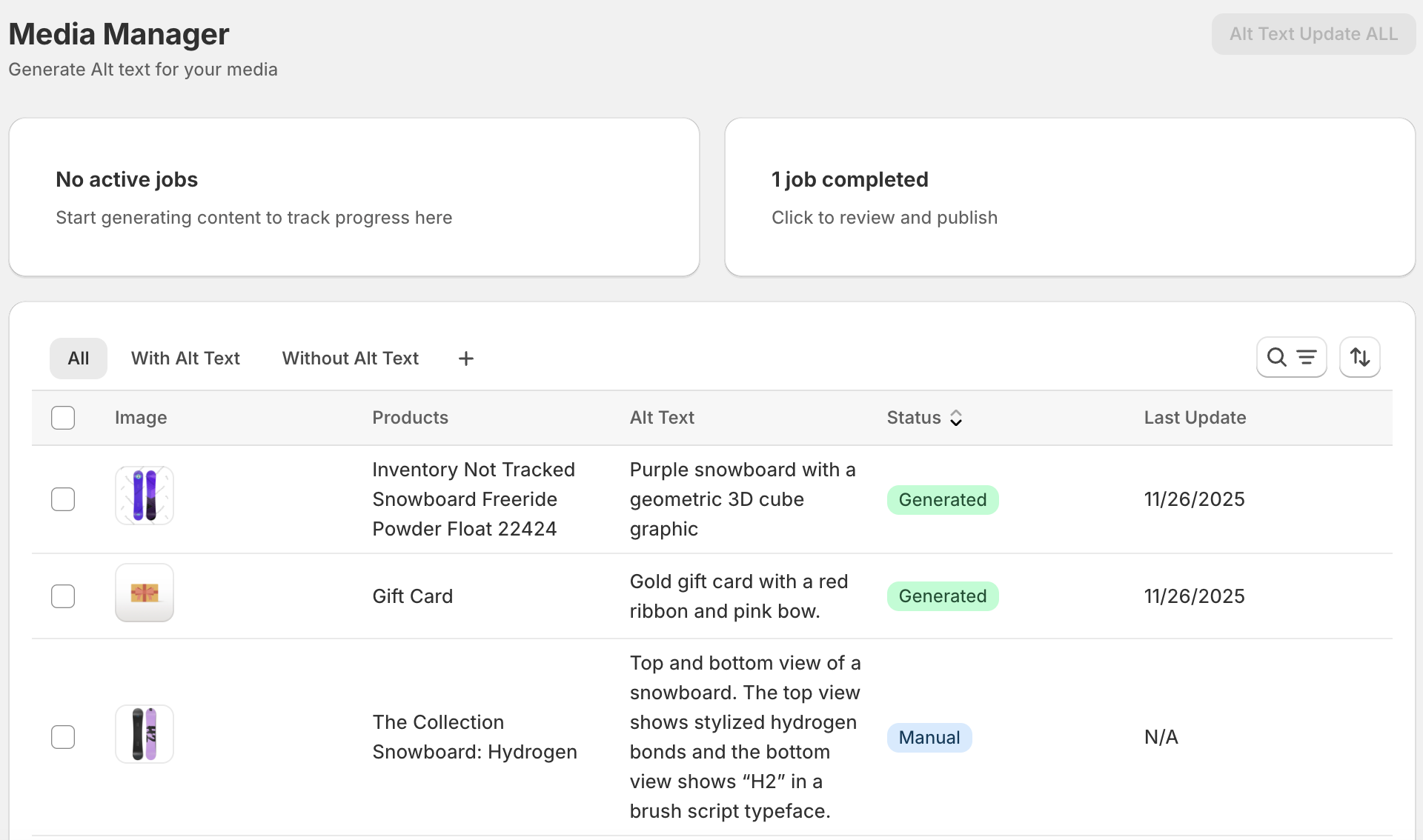
Media Manager uses the AI-vision approach, when it generates image alt text it will identify objects and output correct alt image text based on an image content.
Accessing Media Manager
Navigate to Media Manager from the main menu to view all product images in your store.Viewing Product Images
The Media Manager displays:- Thumbnail preview of each image
- Image dimensions and file size
- Current alt text (if any)
- Associated products
- Last update timestamp
- Generation status
Single Image Alt Text Generation
Generate alt text for one image:- Find the image in Media Manager
- Click the image row or “Generate Alt Text” button
- AI analyzes the image visually
- Review the generated alt text
- Accept or modify before saving
- Alt text updates immediately
Bulk Alt Text Generation
Generate alt text for multiple images:- Select images using checkboxes
- Click “Update Alt Text” button
- Review settings in the modal
- Click “Start Generation”
- A job is created to process all images
- Track progress in the Jobs page
- Review and publish results when complete
Generate for All Images (Max plan only)
Process your entire image library:- Click “Generate for All” button (no selection needed)
- Confirm you want to process all images
- Large job is created (may take several minutes)
- Monitor progress in Jobs page
- Review results before publishing
- First setting up your store
- You’ve never used alt text before
- Migrating from another platform
- Improving accessibility compliance
AI Visual Analysis Capabilities
The AI can identify:- Product type and category
- Colors and visual characteristics
- Product positioning and angle
- Key features visible in the image
- Brand elements and context
- Usage scenarios shown
- Descriptive alt text for accessibility
- SEO-optimized keywords naturally integrated
- Context-appropriate descriptions
- Product-focused messaging
SEO Benefits of Alt Text
Proper alt text provides:- Improved search engine image rankings
- Better overall page SEO
- Enhanced user experience for screen readers
- Additional keyword opportunities
- Increased traffic from image search
- Accessibility compliance
Best Practices
- Generate alt text for all product images
- Review AI suggestions before bulk publishing
- Keep alt text descriptive but concise (125 characters or less ideal)
- Include product names naturally
- Avoid keyword stuffing
- Update alt text when images change